MCP Quick Start Guide
Note: Your Claude workspace Owner must have already added MedScout to Claude before you go through the following steps.
Connecting MedScout to Claude
MedScout's MCP server lets Claude read and act on your MedScout data from inside Claude. Ask about a provider, pull a target list, draft an account summary, and Claude works from live MedScout data instead of whatever you paste into the chat.
Before you start
You need an active MedScout login and a Claude account on a paid plan (Pro, Max, Team, or Enterprise). Custom connectors aren't available on the Claude free tier.
Connect your account
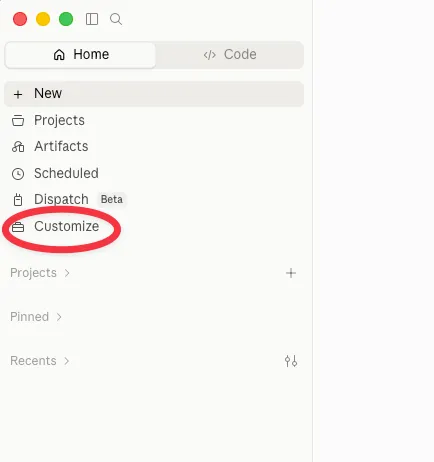
In Claude, go to Customize
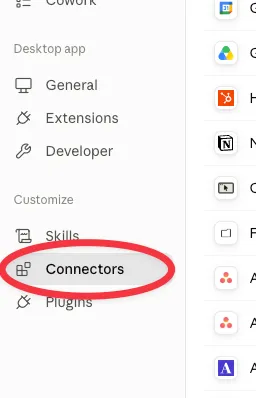
Click on Connectors
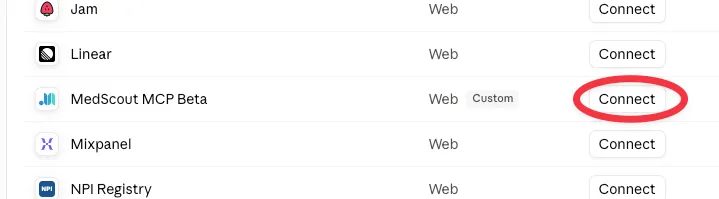
Find MedScout MCP Beta and click Connect.
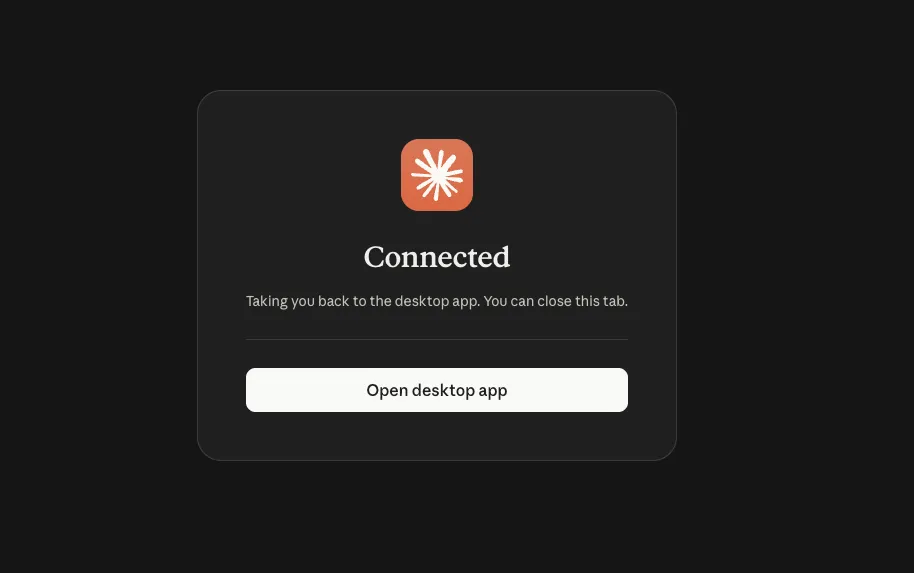
If you're not already signed in, you'll be asked to sign in with your MedScout credentials.
You're now connected!
Here's a video walkthrough of how to connect straight from the chat box as well:
Check that it worked
Start a new chat and ask:
What MedScout tools do you have?
Claude will list the tools available to your account. If you get a list, you're set. If Claude says it has no MedScout tools, see the FAQs below.
How to use the MCP
MCP Use Cases and Best PracticesUse cases and best practices →
Explore common ways people are using MCP today, discover prompts you can easily adapt, and learn what separates vague responses from clear, effective ones.
FAQs
MedScout MCP isn't in my connector list. You may be signed into a personal Claude account rather than your work account. Check the account switcher. If you're in the right account, your admin has likely not added the MCP to your organization yet.
Claude says it has no MedScout tools. The connection didn't complete. Disconnect and reconnect, and watch for the authorization window.
MedScout is not working inside a project. Projects have their own connector settings. Inside the project, click the + button at the bottom left of the chat prompt, hover over Connectors, and toggle MedScout MCP on.
Claude can't find providers or accounts I know exist. Confirm you're connected with the same email you use for MedScout, and that you have access to those records in MedScout itself. Your territory access carries over, including its limits.
What can Claude see? Exactly what you see. Your access through Claude mirrors your MedScout permissions, so nothing shows up in Claude that wouldn't show up when you log into MedScout directly.
Why does Claude keep asking permission before it pulls data? It asks the first time it calls each MedScout tool. You can approve for that session or always allow it going forward.
Every single request asks me for approval. That's a Claude organizational setting. Your admin can switch external tool calls from always ask to always allow if they want to bypass the approvals.
How do I disconnect? Customize → Connectors → MedScout MCP → Disconnect. Access is removed immediately and your MedScout account isn't affected.